The calendar is where the working day happens. It shows every appointment across the branches you have access to, laid out on a time grid so you can see at a glance who is busy, which chairs are free, and where the gaps are.
Week view
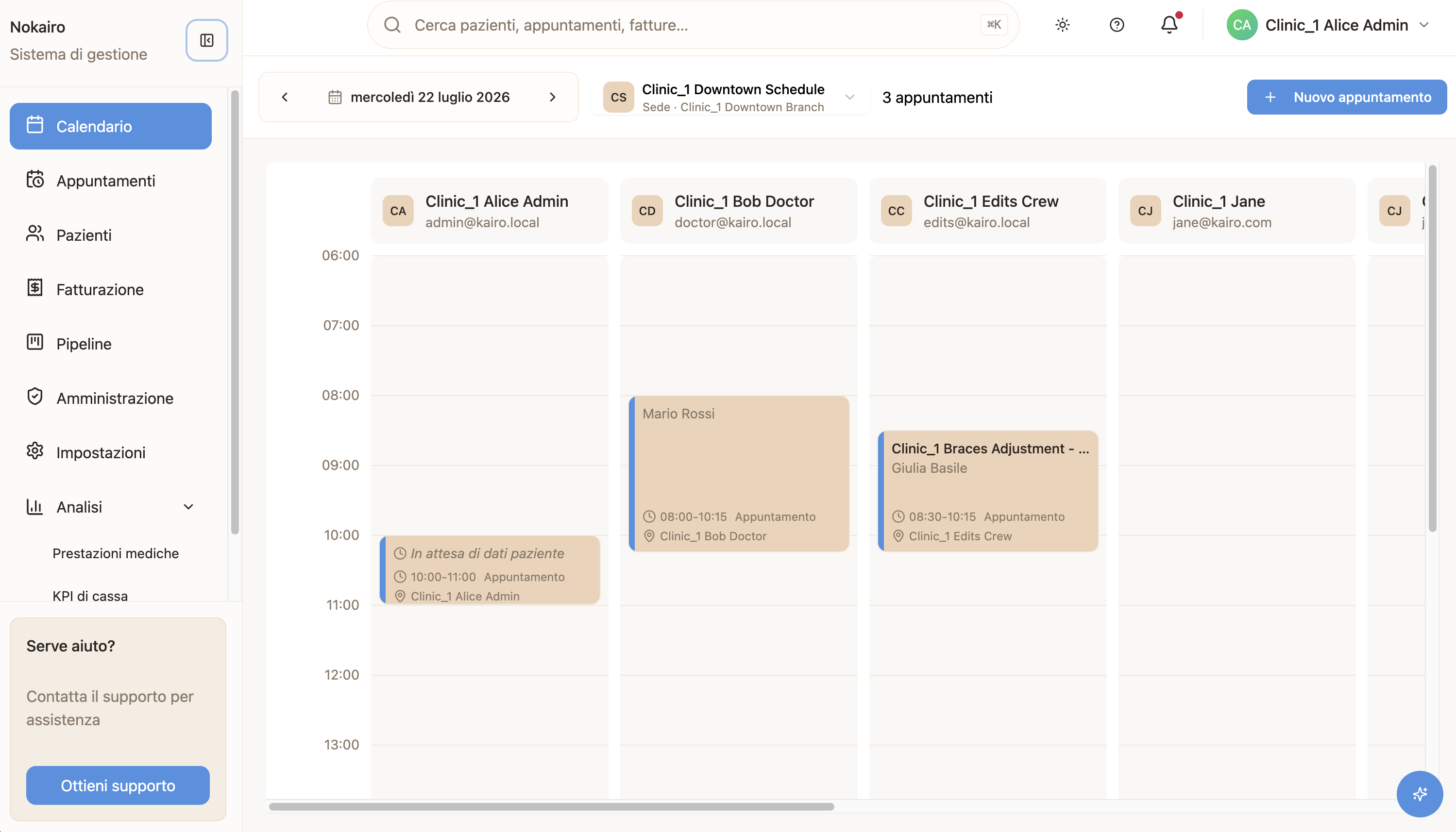
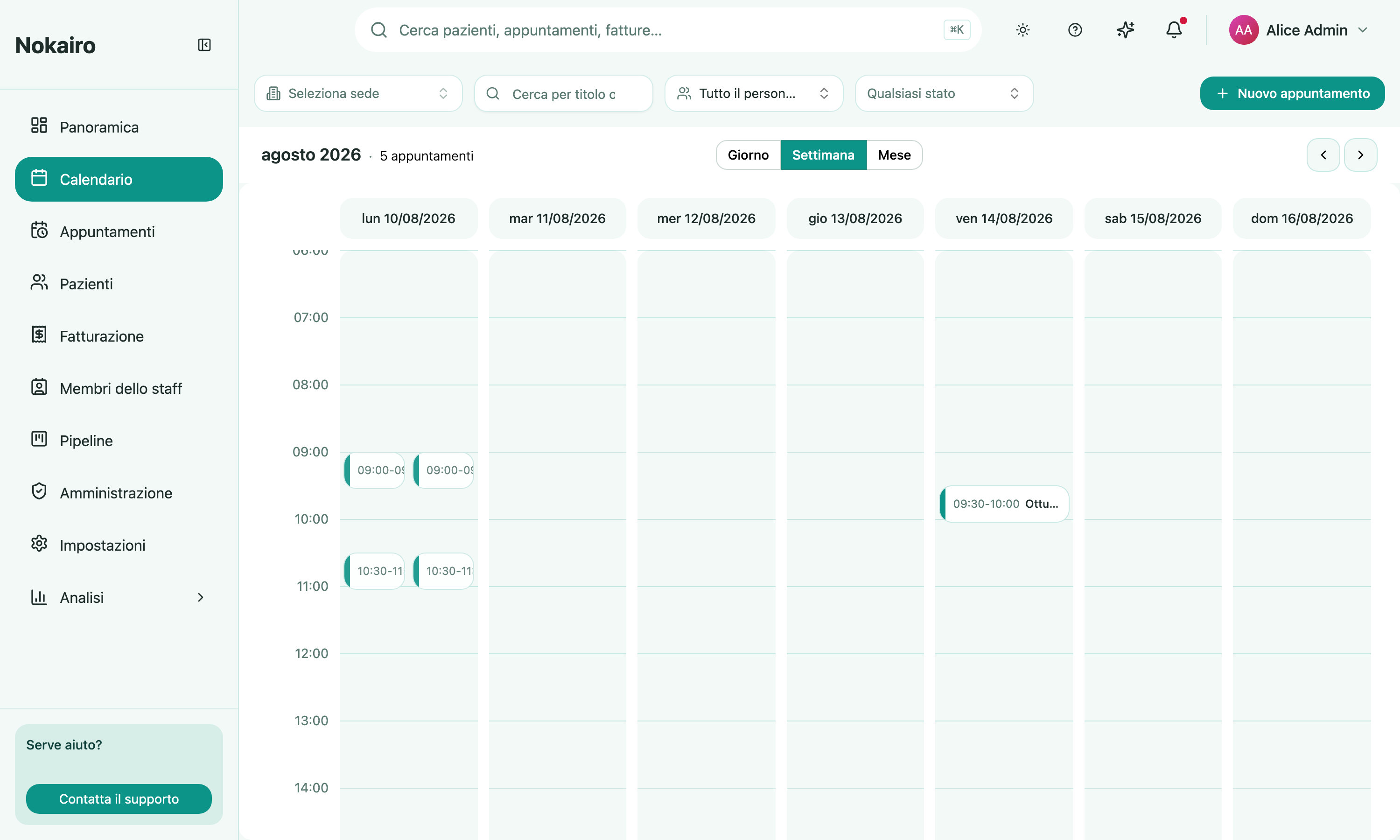
Switch to Week to see a branch’s whole week at a glance, one column per day, so you can spot which days are already packed and which still have room before you commit a new booking.
Month view
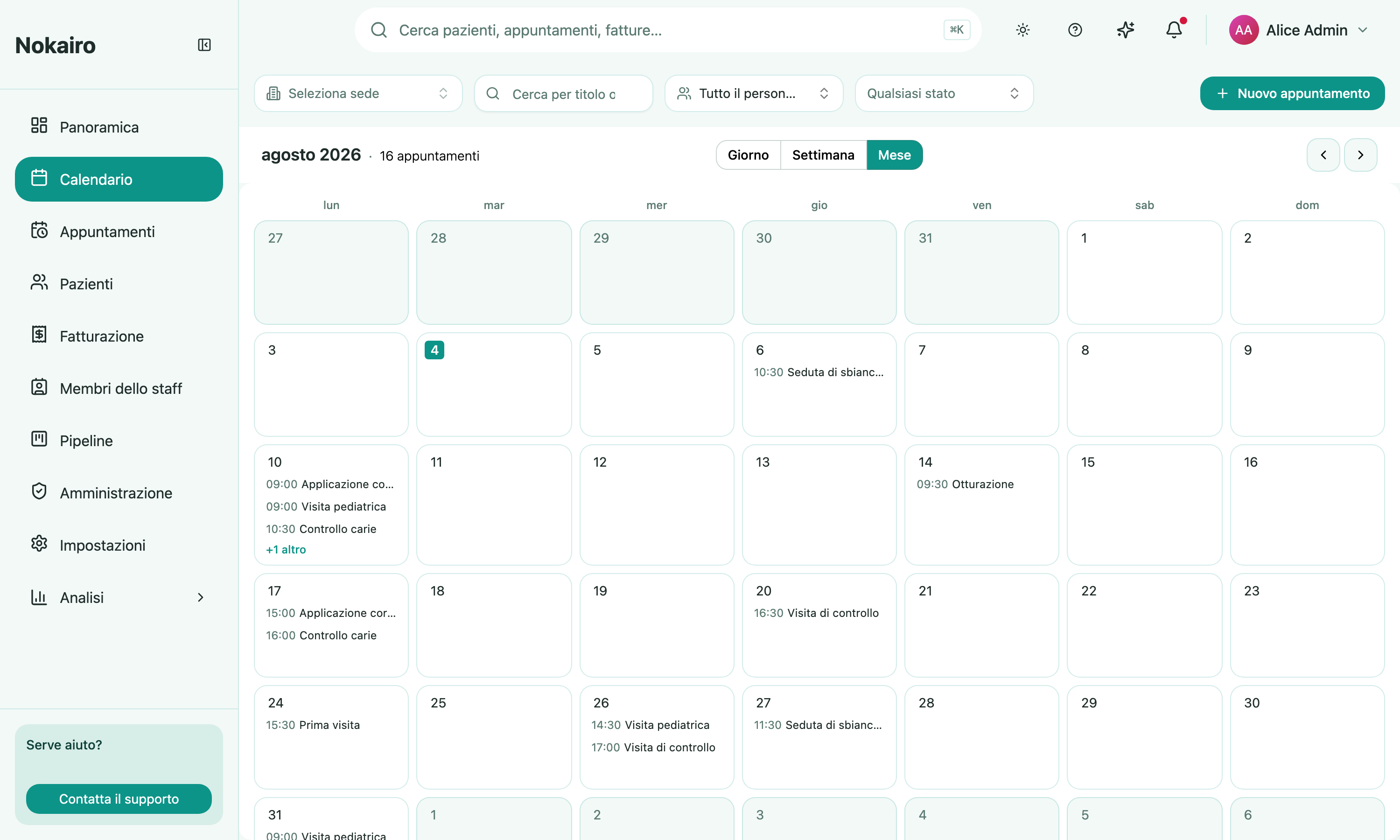
Switch to Month for a higher-level view of the whole month. Each day shows a preview of its first few appointments, so you can spot busy stretches and open weeks at a glance before drilling into a specific day.
What you can do here
- Book an appointment by picking a free slot and choosing the patient, the practitioner, and the procedure.
- See the whole clinic at once, or narrow to a single practitioner or branch.
What the calendar will not let you do
Nokairo blocks a booking that would put the same practitioner or the same chair in two places at once. This check runs across the whole clinic, not just the branches you can see — so a slot may be refused because of an appointment in a branch you have no access to. The refusal tells you the slot is taken without revealing whose appointment it is.
Who sees what
You see appointments for the branches you are assigned to. A colleague assigned elsewhere sees a different calendar from the same clinic.