Notifications is where Nokairo tells you that something has come back from a patient. When a patient fills in a form you sent, confirms their details before an appointment, or signs a quote, a notification lands here so the return trip does not sit unnoticed in someone’s head.
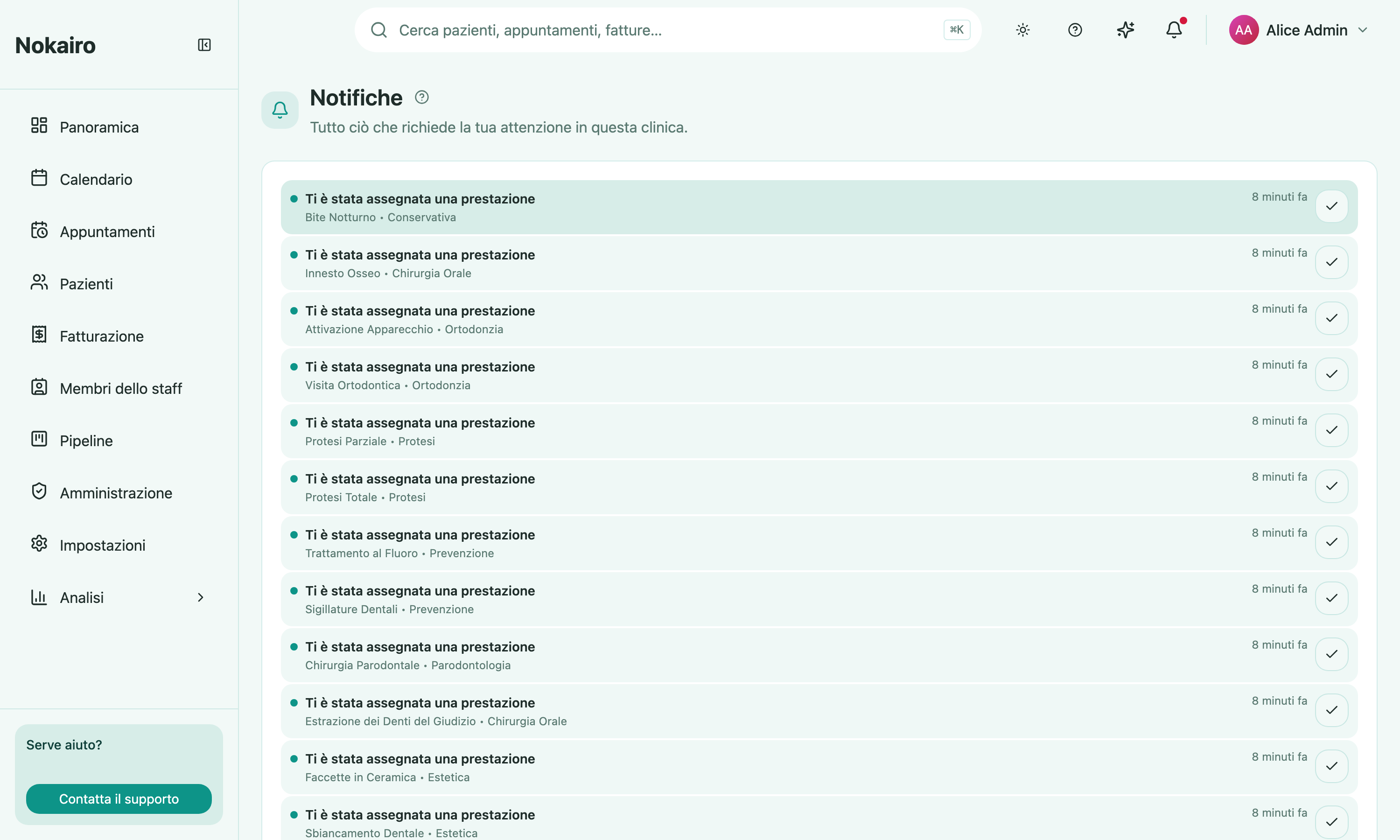
What you can do here
- Read the full list, newest first, paged twenty at a time, with unread items marked.
- Open a notification to jump straight to the thing it is about — the submitted questionnaire, the appointment, the signed quote. Opening it marks it read.
- Mark an item read without opening it, from the tick on its row.
The same notifications appear under the bell in the top bar, which shows an unread count and a short preview list with a “mark all as read” action. This page is the full history behind that preview.
These are not the emails your clinic sends
It is worth keeping two things apart. Communications are the messages the clinic sends out to patients — reminders, quotes, recall emails — and are configured under Administration. Notifications are what comes back in, and they are only ever shown inside Nokairo. Nothing on this page is emailed to you, and marking something read here changes nothing for the patient.
Who sees what
Notifications belong to the clinic you are signed in to, so they cover work in that clinic and no other. Marking an item as read is yours alone and does not clear it for a colleague.