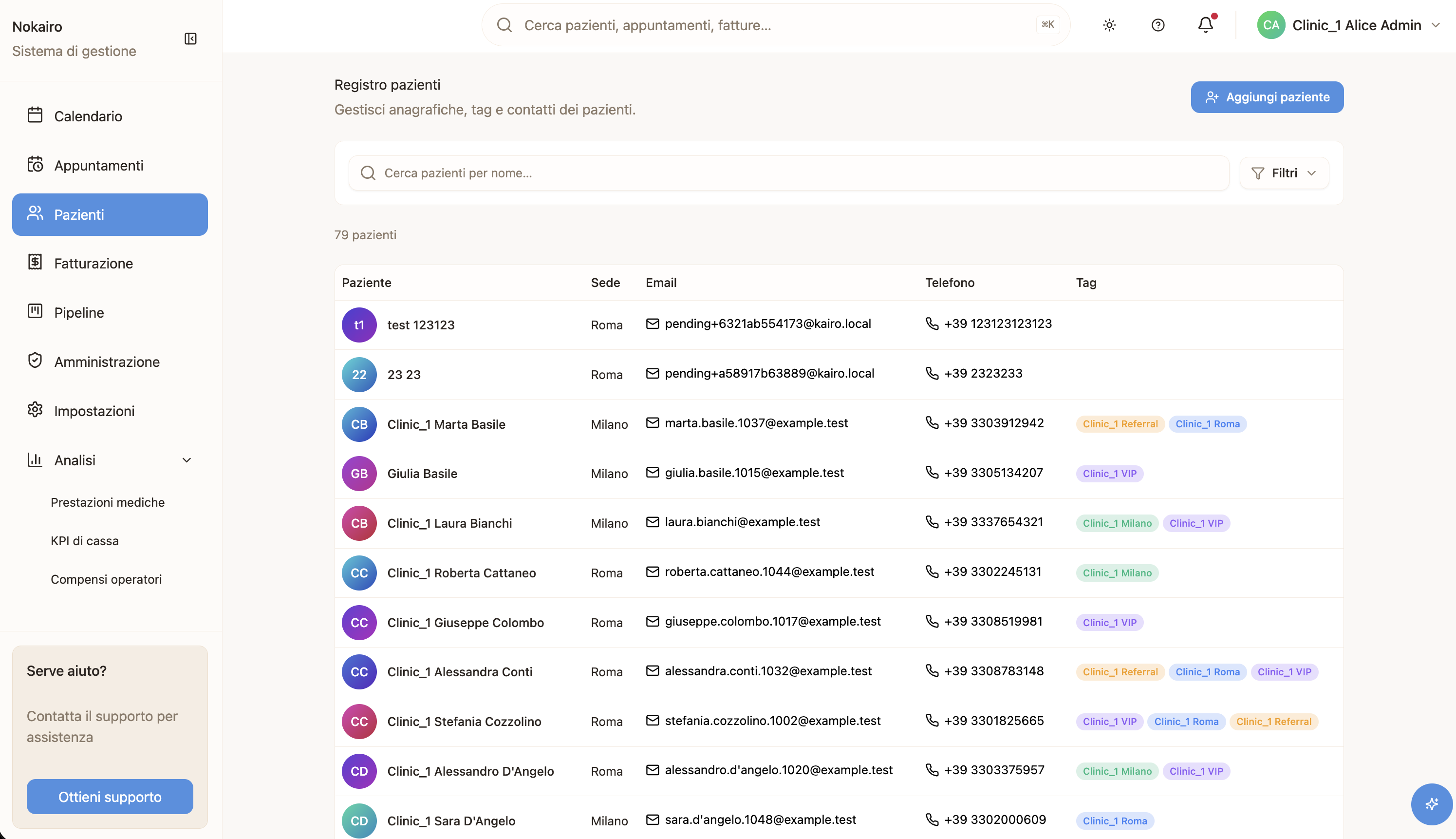
Patient records is the clinic’s register of patients and the way into any one of them. Each row shows the patient’s name, the branches they are attached to, their email, their phone number, and any tags. Selecting a row opens that patient’s record.
What you can do here
- Search for a patient by name.
- Filter by tag or by branch.
- Add a patient, which opens a form for their details.
- Open a patient by selecting their row.
The list is paginated and shows how many patients match your search and filters. The filter panel stays collapsed until you open it, and appears only when there are tags or branches to filter by.
Tags
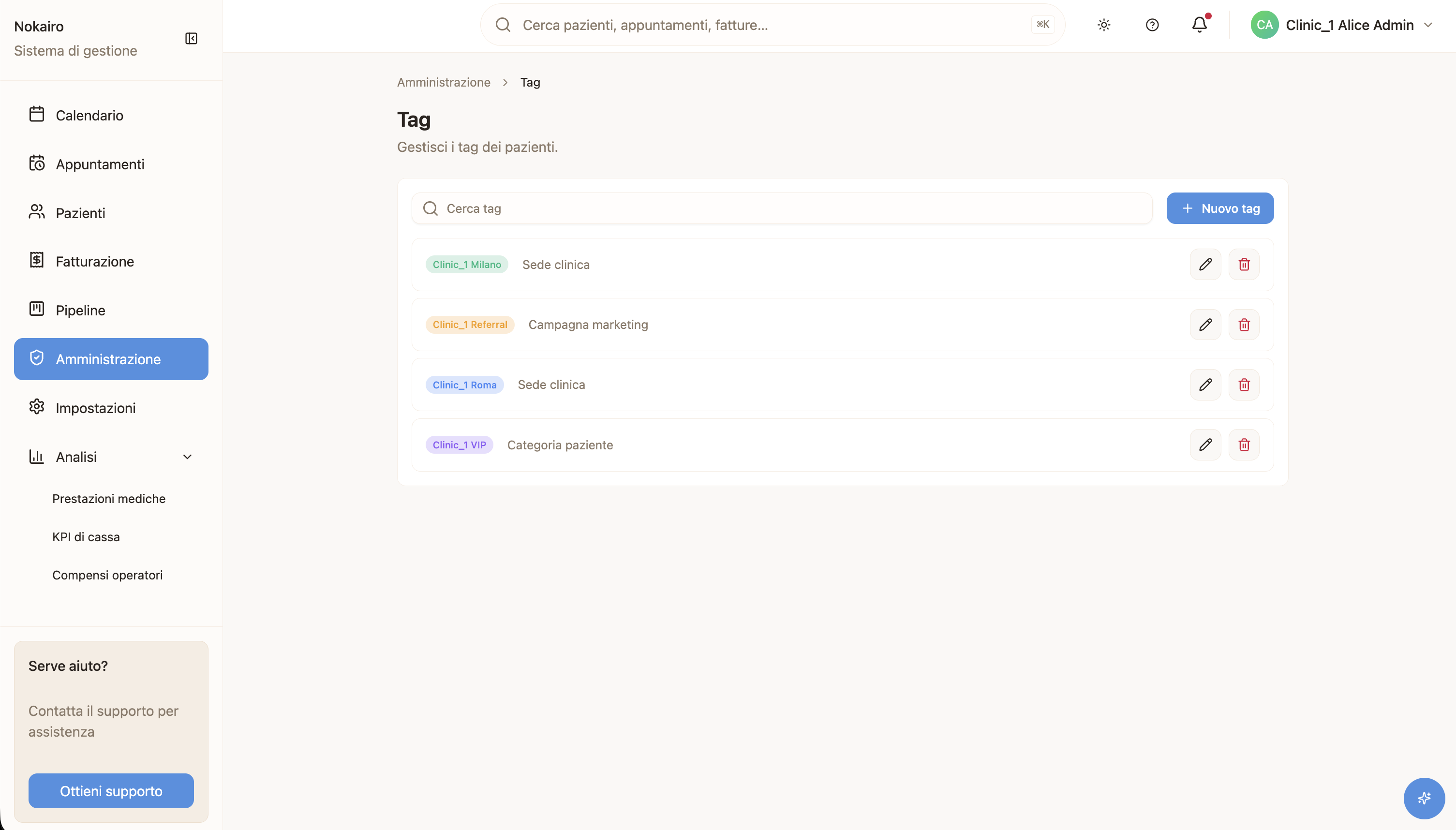
Tags are short labels a clinic defines for itself and attaches to patients. Once a tag exists, it becomes a filter here. Tags are managed on their own administration page, which staff with access can reach from the tag filter.
Adding a patient who may already exist
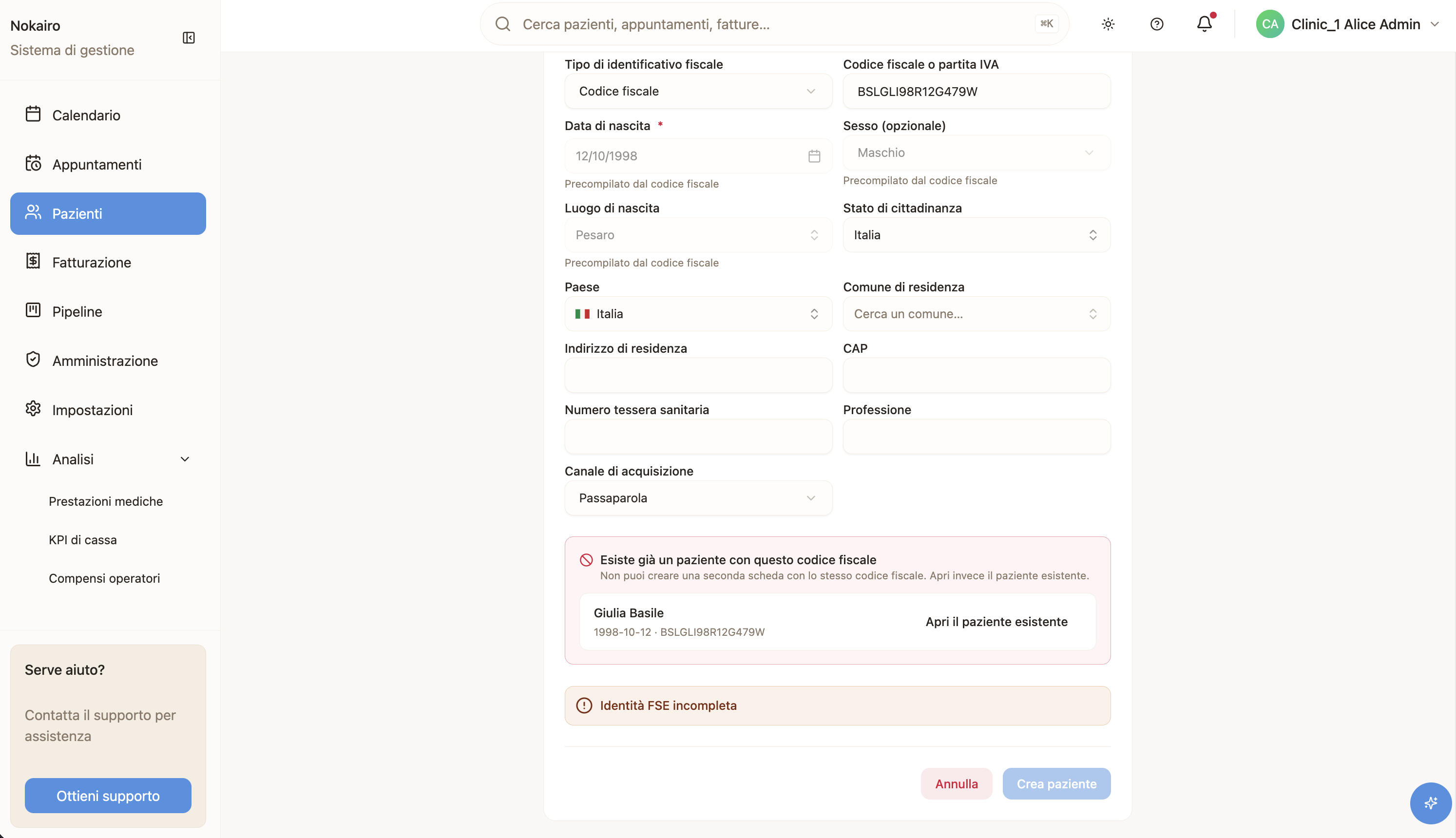
When you add a patient, Nokairo checks whether the details you entered look like a patient already on file. If they do, it offers you the existing record rather than creating a second one for the same person. Choosing the existing record takes you straight to it.
Who sees what
The list is scoped to your clinic — each clinic’s patients are separate from every other clinic’s. The branch filter offers the branches available to you.