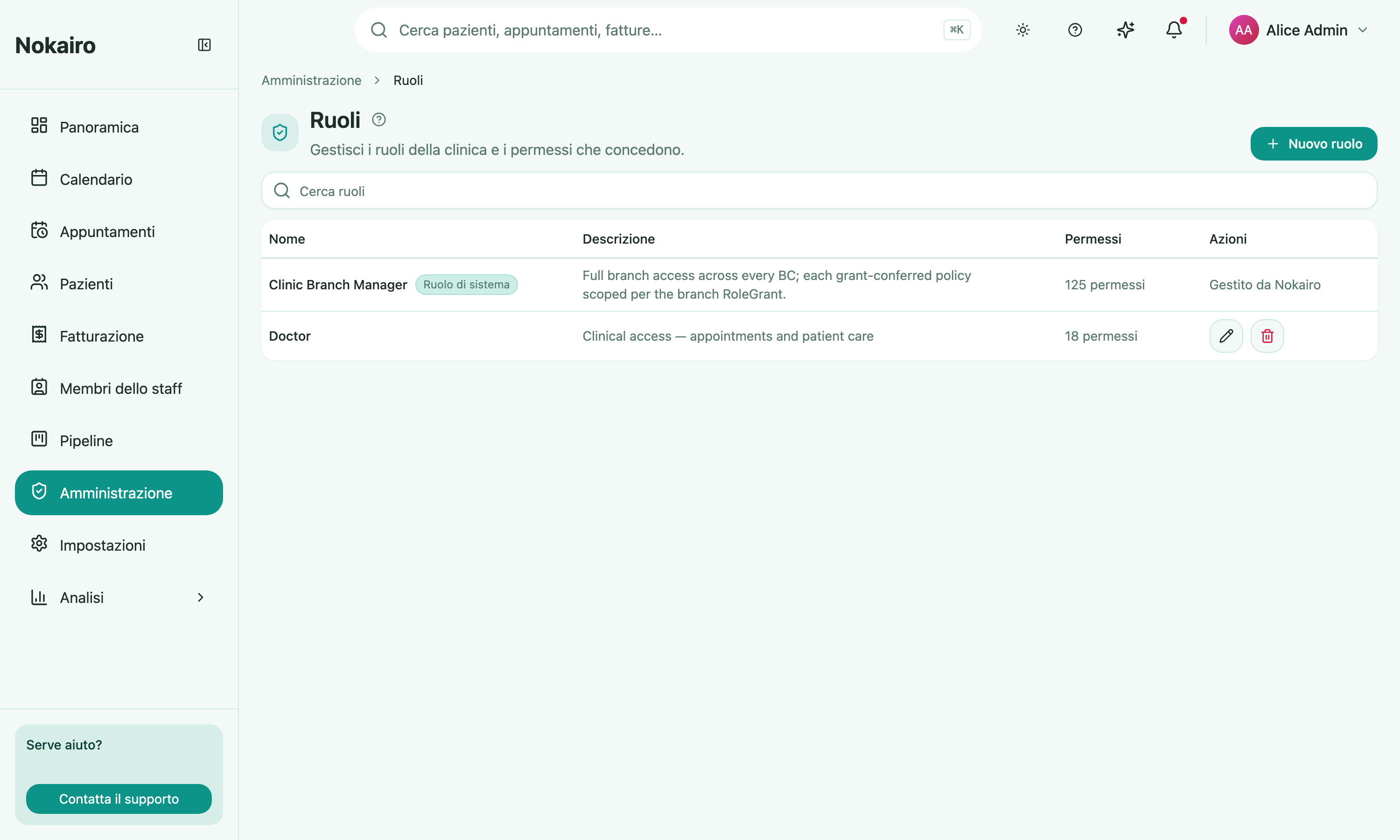
A role is a name attached to a set of permissions — “list appointments”, “issue invoice”, “update billing settings”, and so on. This page is where a clinic defines its own roles and decides which permissions each one names.
Set up during registration
The registration wizard offers a set of common clinic roles, each arriving with a starting set of permissions. Those you kept are listed here and can be refined like any role you create yourself; skipping that step leaves only the system roles. See Getting started.
What you can do here
- Create a role, giving it a name (up to 100 characters) and an optional description.
- Tick the permissions it includes. They are grouped by area — clinic settings, branch management, staff management, patient records, appointments, questionnaires, medical procedures, patient documents, invoices, billing pricing and settings.
- Search the list of roles.
- Edit a role or delete one. Deleting removes it from every staff assignment.
System roles are read-only
Some roles are marked as system roles and labelled as managed by Nokairo. They appear in the list with their permission count but cannot be edited or deleted here.
Where roles get used
Roles are clinic-wide — defined once, in one list. They are then assigned to a staff member on the branch detail page, per branch, via Edit Roles. A branch assignment always needs at least one role selected. Some grants are shown as clinic-wide rather than tied to a single branch.
Assigning a role is what actually gives a staff member its permissions, and it gives them only where the role was granted: a role assigned on one branch does not carry to another. Changes apply straight away — the person does not have to log out and back in.
Who can change it
The page opens for staff whose access includes roles; others see a message instead. Creating, editing, and deleting are each gated separately, so the list can open with some controls absent, or entirely read-only.