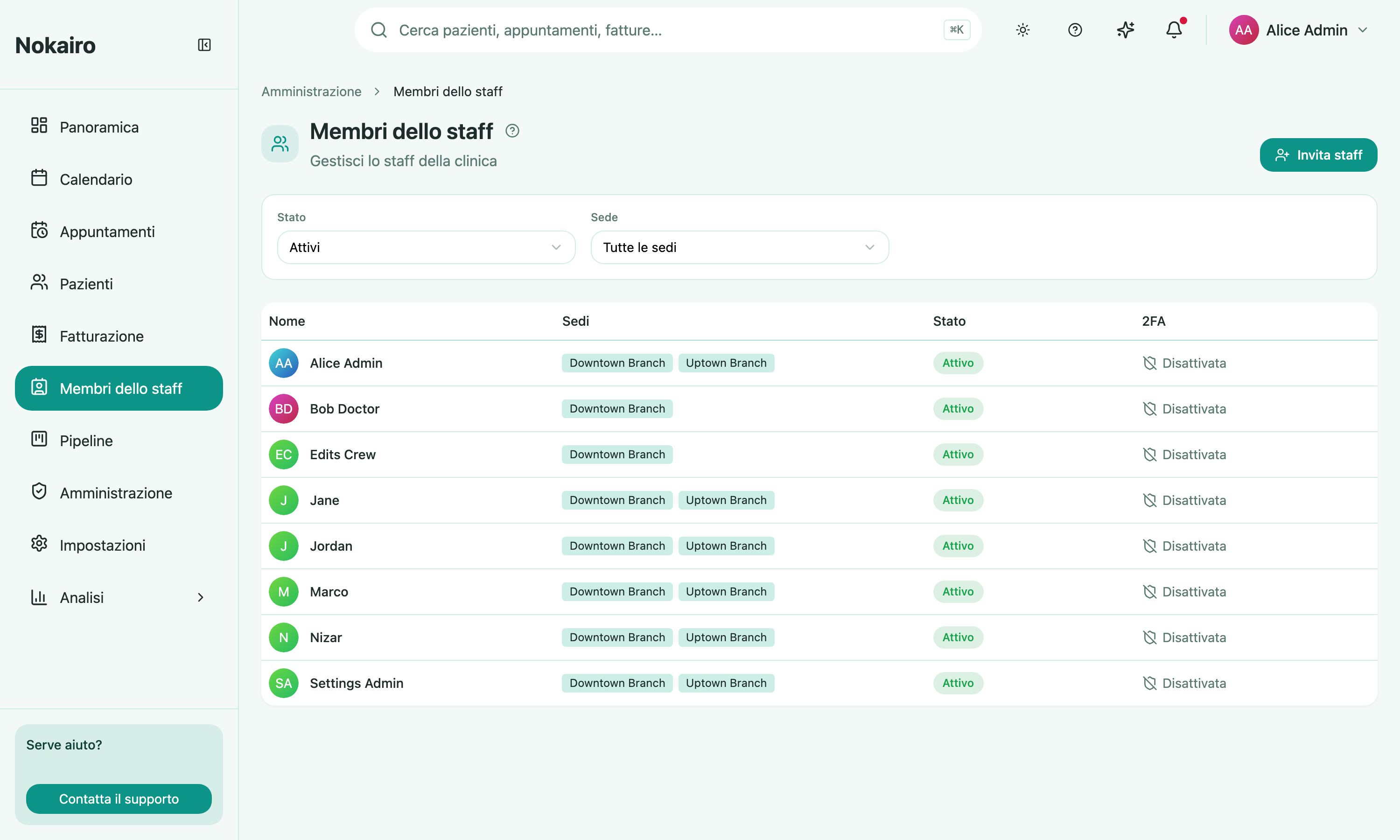
This page lists everyone in the clinic: active colleagues, people whose invitation is still pending, and those who have been deactivated. It is where a clinic brings someone on board, and the directory from which you open any colleague’s profile. It has its own Staff Members entry in the sidebar, and also a card in Administration.
What you can do here
- Invite a staff member by email, optionally assigning them to branches at the same time.
- Filter the list by branch and by status (active, deactivated, or all).
- Open a colleague’s profile by clicking anywhere on their row, or their name. The profile is where every per-person action now lives — editing contact details, resetting two-factor, re-inviting or revoking a pending invitation, managing working hours and FSE identity, setting a profile picture, and deactivating a leaver.
Reading the list
Each row shows the person’s name and profile picture — their initials stand in until a picture is set — the branches they belong to, their status (active, pending, expired, or deactivated), and whether they have two-factor authentication enabled. There are no per-row action buttons: open the profile to act on a colleague.
Deactivation is deliberate, and it checks first
Deactivating a colleague — done from their profile — signs the person out immediately and rejects their outstanding sessions, removes them from every branch and calendar, and detaches them from every medical procedure. They stay visible in the list as a deactivated row rather than vanishing, so the history stays readable.
Before it goes through, Nokairo checks whether the person still hosts upcoming appointments. If they do, it will not let you proceed until you choose: reassign them all to another doctor, or cancel them all. Doctors with a clash in one of those slots are shown but cannot be picked. If no other active doctor can cover, cancelling is the only option offered.
The last administrator of a clinic cannot be deactivated.
Two-factor
The list shows whether each person has two-factor authentication enabled. Resetting it — from the colleague’s profile — signs them out, revokes their sessions, and forces them to enrol a new authenticator app at their next sign-in.