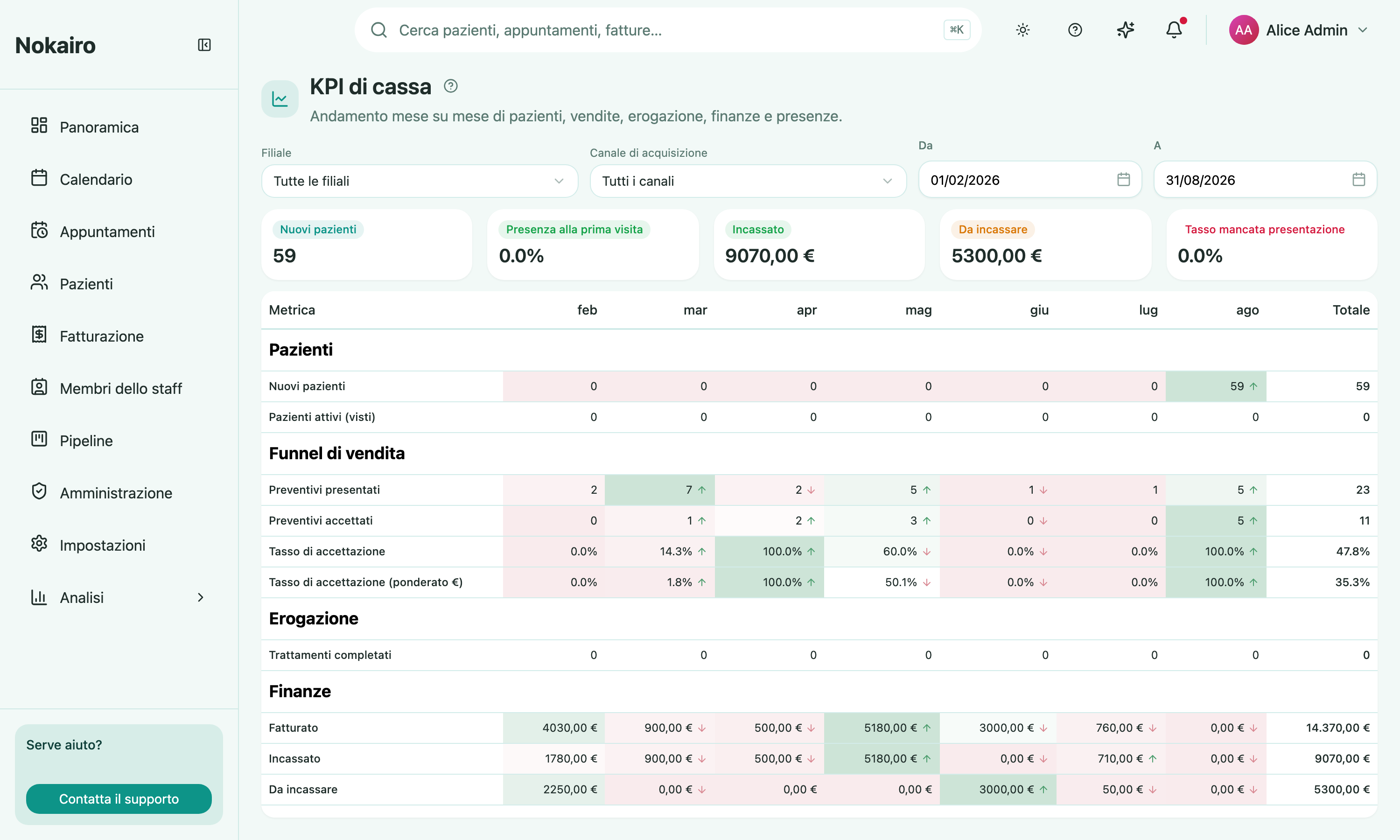
This page lays the clinic’s key numbers out as a grid: metrics down the side, months across the top, and a total for the period at the end of each line. It is built for the month-over-month read — whether new patients are drying up, whether acceptance is slipping, whether what you billed is turning into money.
What you can do here
- Set the window with the From and To dates; each whole month in between becomes a column. It opens on roughly the last six months.
- Narrow to one branch, or to a single acquisition channel — the channel recorded on the patient’s record, which filters the entire report, financials included.
- Read five groups of metrics: Patients (new, and active meaning seen), Sales funnel (quotes presented, accepted, acceptance rate by count and weighted by value), Delivery (treatments completed), Financials (billed, collected, outstanding), and Attendance (appointments scheduled, attended, no-show rate, cancellation rate, first-visit attendance rate).
- Scan the tints and arrows. Each row is shaded against its own best and worst month, and an arrow marks the direction against the previous month.
The grid is built only from the branches your access covers.
What the numbers actually count
The dates each metric hangs on are not all the same, and this matters:
- New patients counts patient records created that month, which is not the same as first visit.
- Billed is invoices by issue date. Collected is payments by payment date, counted only on invoices issued inside your selected window. Outstanding is billed minus collected — so it mixes those two cohorts and a single month can come out negative.
- First-visit attendance rate covers patients whose first-ever appointment fell in the window, not the first appointment they happened to have inside it.
The Total column
For counts and money, the total is the sum of the months. For any rate, it is not the average of the monthly rates — the parts are summed across the period and the rate is worked out once from those, which is what you want when the months are of very different sizes. A rate with nothing in its denominator shows a dash rather than a zero.