A medical quote usually has to be emailed to the patient before they can decide on it. This page lets a branch do that automatically, so a new quote reaches the patient without anyone sending it by hand. You pick a branch first, then edit that branch’s setting.
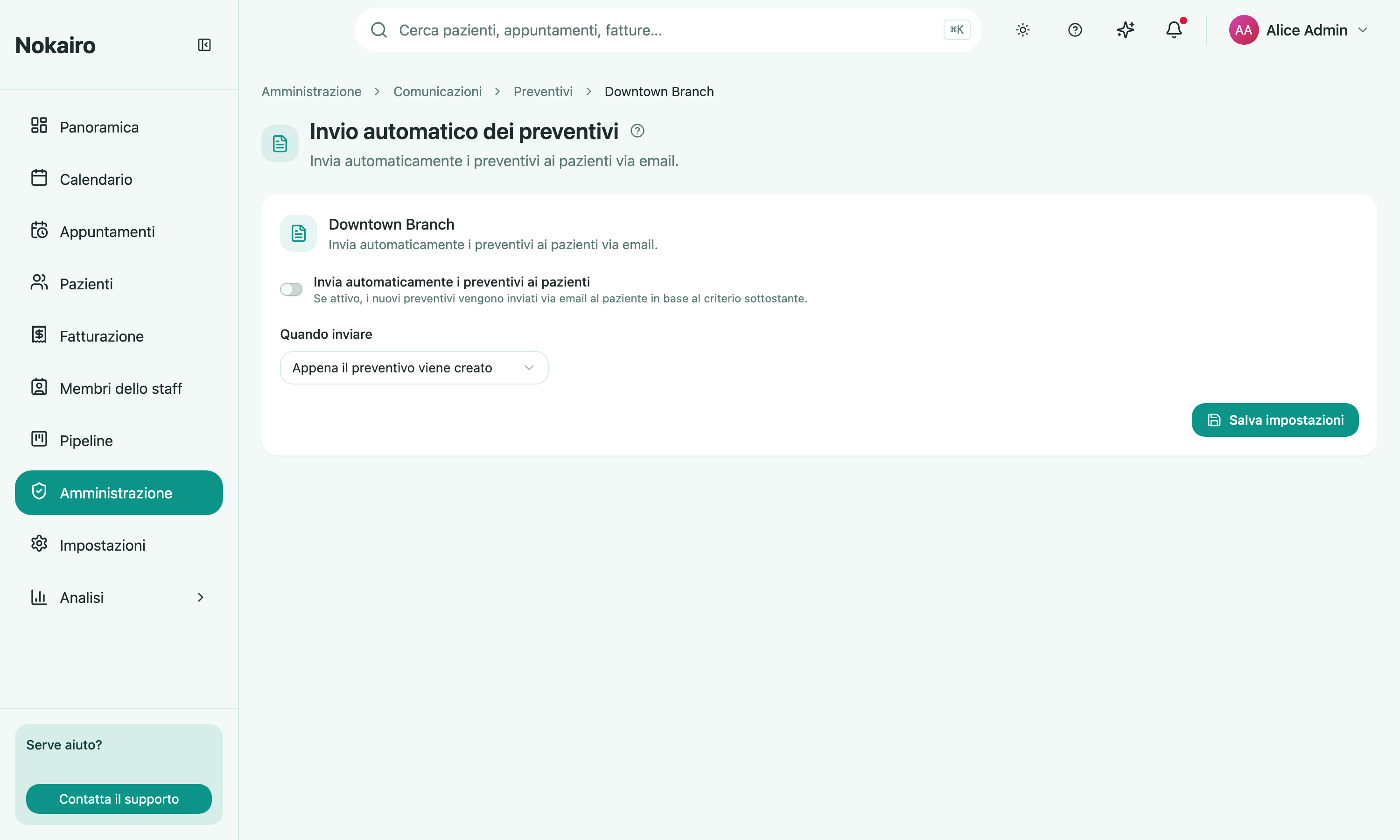
What you can do here
- Turn automatic delivery on or off for the branch.
- Choose when to send: as soon as the quote is created, or after a delay.
- Set the delay, between 1 hour and 30 days after the quote is created, when you choose the delayed option.
What the patient receives
There is no subject or body to write here. The email is the clinic’s real quote email — it carries the quote itself and the link the patient uses to sign it — so this page only decides whether it goes out and when. The wording is not edited from this screen.
When a quote is not sent
The send is checked again when the delay elapses, and a quote that is no longer in its initial planned state by then is skipped — a delay of a few days gives your team room to correct or withdraw a quote before it reaches anyone. A patient with no email address on file cannot be sent one.
Choosing “as soon as the quote is created” leaves no such window: the quote goes out on creation.
Per branch
The switch, the trigger, and the delay are held per branch. One branch can send its quotes immediately while another waits two days, and saving one branch changes nothing elsewhere.