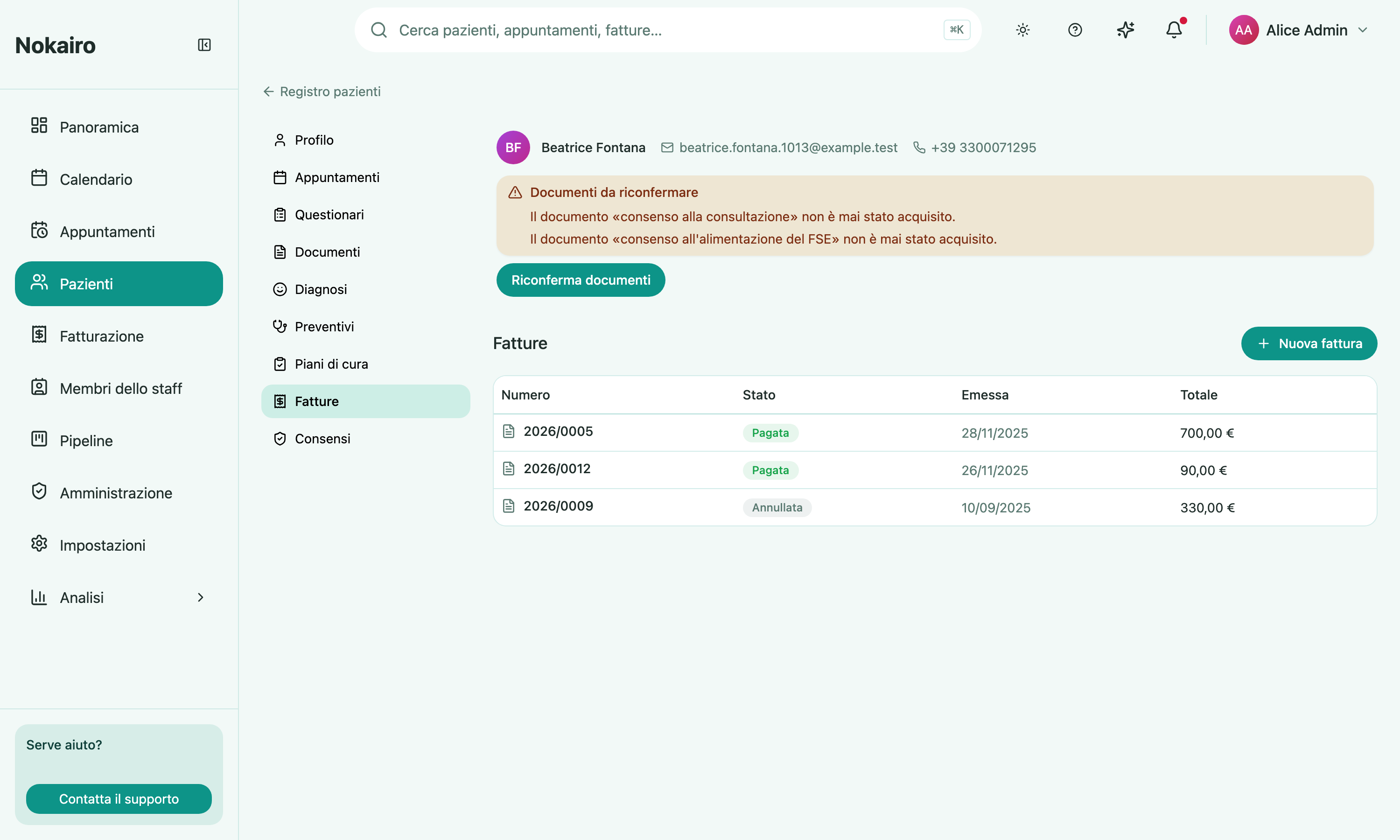
This section lists a patient’s invoices and is where you create, issue, and settle them. Each row shows the invoice number, status, issue date, and total. Opening one shows the invoice in full, along with what has happened to it on the fiscal side.
What you can do here
- Create a draft invoice and build up its line items.
- Issue a draft, once it has at least one line.
- Record a payment on an outstanding invoice.
- Issue a credit note to reverse an issued invoice (including one already paid).
- Download the PDF, or email it to the patient.
- Delete a draft.
Draft, then issued
An invoice is a draft, issued, partially paid, paid, or reversed. The first distinction is the one that matters: line items can only be edited while the invoice is a draft. Once issued, it becomes a fiscal document and its lines are read-only — a mistake is corrected by issuing a credit note against it, not by editing it. Drafts have no PDF, and are the only invoices that can be deleted. (Older invoices may still show the retired void status; issuing a credit note has replaced voiding.)
Reversing an invoice: the credit note
Once an invoice is issued you can no longer void it — an issued fiscal document cannot simply be deleted, and a Sistema TS expense must be formally cancelled. Instead you reverse it by issuing a credit note: a separate, properly numbered credit-note document that offsets the original in full. It is available on any issued invoice — awaiting payment, partly paid, or fully paid.
Choose Issue credit note, enter a reason (required), and confirm. Nokairo builds the credit note as a full mirror of the original — same items, amounts, and VAT treatment — gives it the next number in your invoice series, and reverses the original on the same fiscal rail, cancelling the original Sistema TS expense where the invoice was reported there. The original is then marked reversed, with a link to the resulting credit note (and a link back from the credit note to the original). If the original had already been paid, the page flags that a refund is owed to the patient — paying that refund is handled by the clinic, outside Nokairo.
A credit note is itself a document you download and email to the patient, exactly like an invoice, and you can follow its status from the same place. You cannot credit an invoice twice, and you cannot issue a credit note against a credit note.
VAT and the Natura code
A line with no VAT charged must carry a Natura code, which states why. Adding a line from the procedure catalogue takes the line’s description, Natura code, and Sistema TS expense type from the procedure’s own defaults, and keeps them fixed on the line — they come from the catalogue, not from what you type per invoice, so the catalogue is the place to get them right once. A custom line (not added from the catalogue) starts with no Natura code, and an exempt custom line can only be added once you have chosen one explicitly.
An invoice containing an exempt healthcare line (N4 at 0% VAT) prints the statutory wording on its PDF — Prestazione sanitaria esente IVA ai sensi dell’art. 10, comma 1, n. 18, D.P.R. n. 633/1972 e successive modificazioni. — exactly once, in Italian under both languages, on the invoice and on any credit note derived from it. Taxable lines (for example an aesthetic treatment at 22%) never trigger the wording and are never automatically converted to exempt.
Where the invoice goes
An invoice for a patient’s healthcare is reported to Sistema TS, shown as a badge — but only once the invoice is paid: a patient’s healthcare expense is reported on a cash basis, by its actual payment date, so an issued-but-unpaid invoice to a private individual shows no Sistema TS badge yet. A rail shown as unresolved means Nokairo has not determined the recipient’s fiscal identity yet.
For Sistema TS, the expense card appears once the invoice has been paid — the report carries the actual payment date, and whether the payment counts as traceable is derived from the recorded payment method (cash is not traceable; card, transfer, POS, and financing are). Staff with the relevant permissions can retry a failed transmission, or cancel or correct an expense already sent. The expense card marks each send as simulated or real, so you can always tell a rehearsal apart from a genuine transmission — real sending is switched on per branch by a Nokairo operator. A failed transmission lists the messages Sistema TS returned (each with its code and type) beneath the failure reason, so you can see exactly what to fix. When a cancelled expense has been refunded to the patient, it reads as refunded.
Separately, when the clinic’s accounting connection is set up, each issued invoice is also recorded in Fatture in Cloud for bookkeeping. That is an accounting record, not a statutory transmission.
Opposizione
If the patient has opposed the itemized transmission of their expense to Sistema TS, that is recorded from this page. Recording it suppresses the itemized transmission; if the expense had already been transmitted, a cancellation is sent. The invoice is still issued and still delivered to the patient — opposizione concerns the transmission, not the invoice.