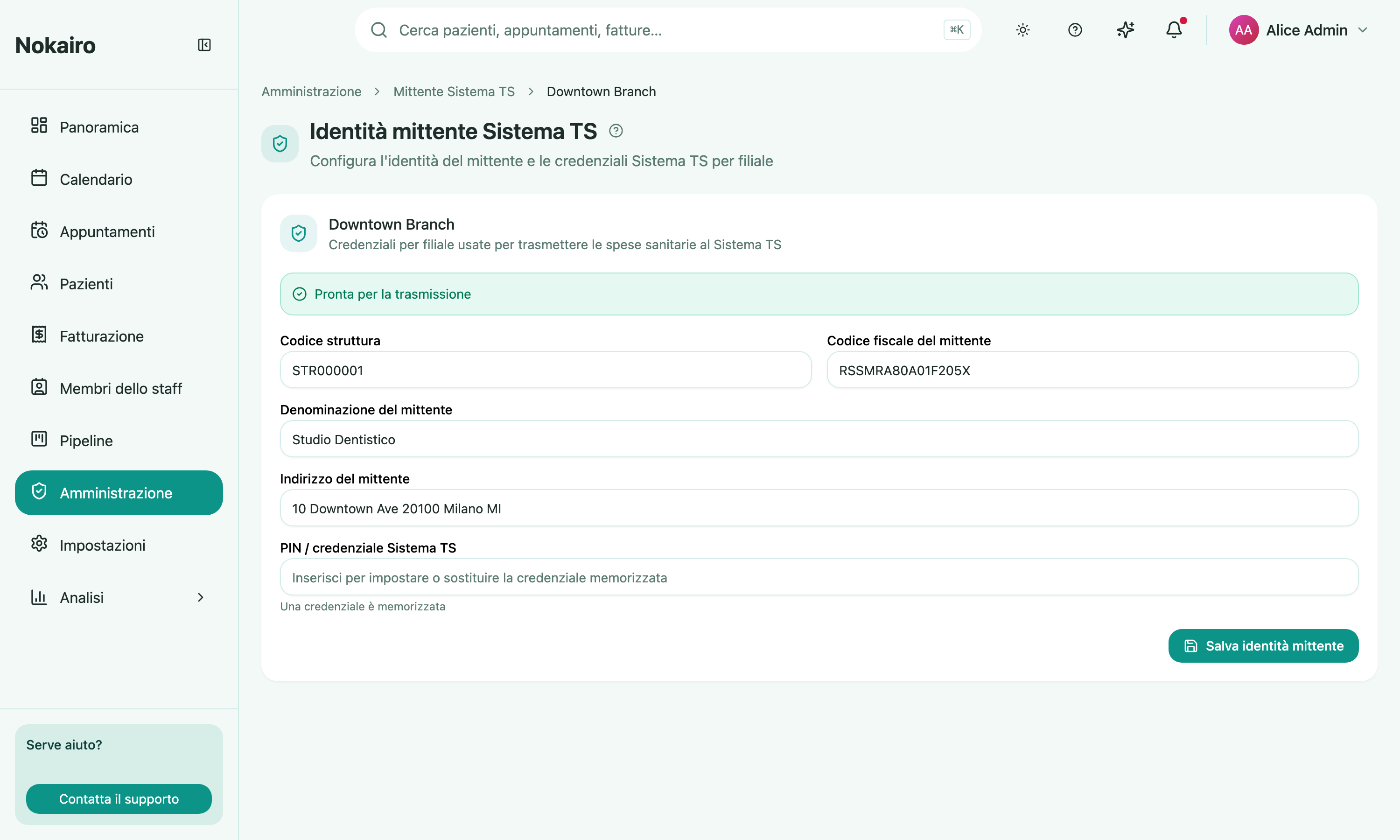
Healthcare expenses billed to an individual feed Sistema TS, which is what puts them in the patient’s 730 precompilata. For Nokairo to send them on a branch’s behalf, that branch needs a sender identity and a credential. This page holds them. It opens with a branch picker, then shows that branch’s settings.
What you can do here
- Choose the sender type — a professional transmits under their own fiscal code; a structure also carries a region code, an ASL code, and a structure code. Those three appear only for a structure; a professional shows none of them.
- Record the sender’s fiscal code, VAT number (partita IVA), legal name, and address.
- Paste a codice ufficio (
RRR-AAA-SSSSSS) as a shortcut — it fans out into the region, ASL, and structure code fields, which remain the source of truth. - Set or replace the Sistema TS PIN / credential. The stored credential is never shown back — the page tells you only whether one is stored.
- See the readiness banner, which says whether the branch is ready to transmit or whether the identity or credential is still incomplete.
Ready to transmit is the thing to watch
The banner distinguishes two states. A complete identity is not the same as ready to transmit: the credential has to be there too. Until the branch reads as ready to transmit, its expenses are not going out.
Readiness is separate from live transmission, shown here read-only. Even a ready branch only sends for real once a Nokairo operator has switched live transmission on; until then, sends are simulated rehearsals.
Per branch
Each branch has its own sender identity and its own credential. Nokairo keeps the branch’s fiscal fields in step with its Billing Settings, so changing the legal identity there is reflected here.
What this page does not show
This is the sender’s setup, not the expense list. The status of an individual invoice’s Sistema TS transmission — transmitted, failed, cancelled, corrected, suppressed, or not transmitted — lives with that invoice, along with the actions to retry, cancel, or correct it, and to record a patient’s opposizione.
Who can change it
Viewing and managing the sender identity are separately gated, so the page can open read-only, and the card appears in the Administration grid only for staff whose access includes it.