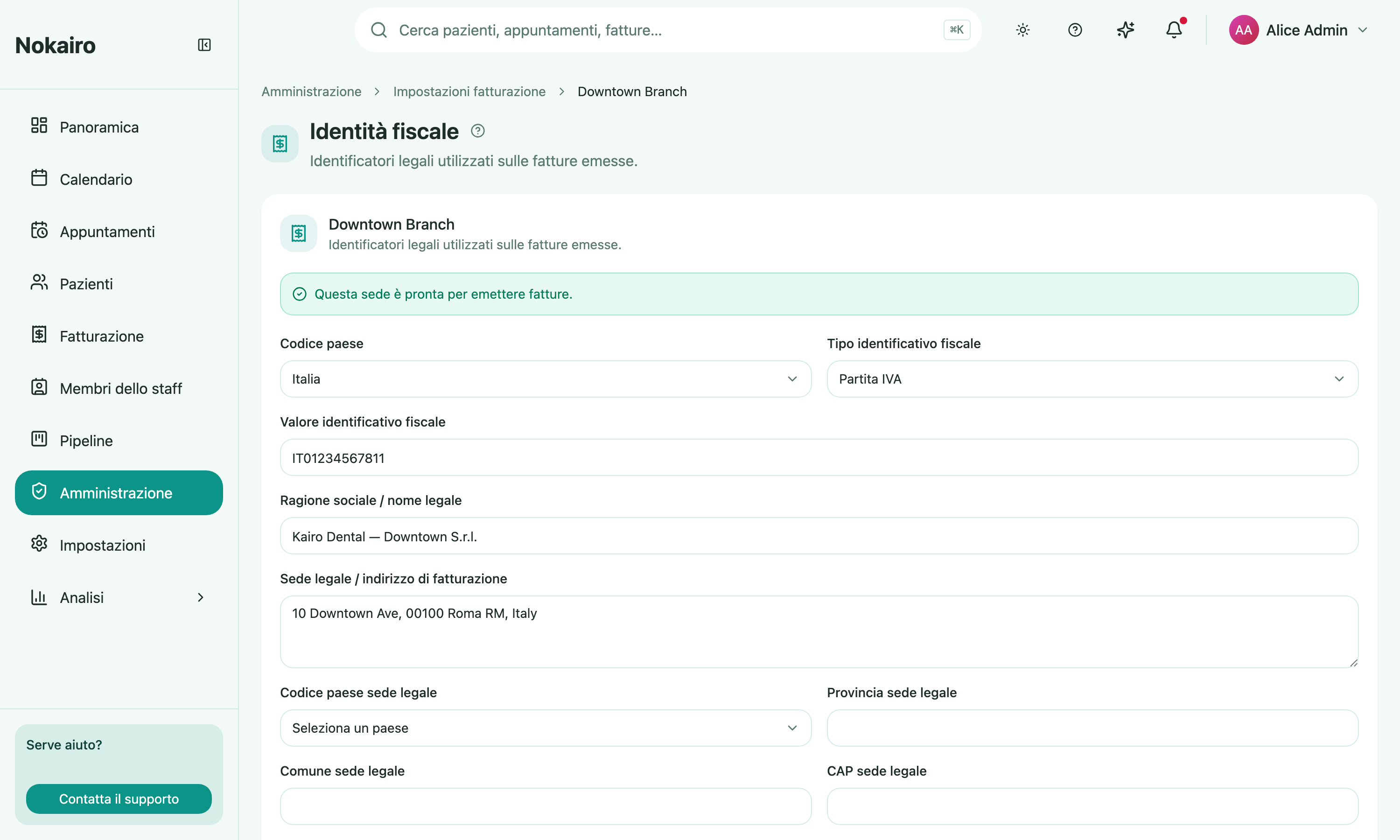
An invoice has to say who issued it. This page holds that identity for a branch: the legal name, independent Partita IVA and codice fiscale values, the registered address, the legal seat, and the tax regime. The page opens with a branch picker, then shows that branch’s settings.
Set up during registration
The registration wizard’s last step collects the clinic’s fiscal identity and writes it here. That step can be skipped, so a clinic that rushed through setup arrives on this page with nothing filled in — and invoicing needs it. See Getting started.
What you can do here
- Set the country, Partita IVA, and codice fiscale independently. An Italian branch needs a Partita IVA before it can issue invoices; the codice fiscale is optional for invoice issuance.
- Record the legal / business name and the registered invoice address.
- Record the legal seat: street, city (searchable by comune), province, postal code, and country.
- Choose the tax regime (regime fiscale) from the supported list.
- Configure stamp duty (marca da bollo): who bears it — the patient, added to the total, or the studio, excluded from it.
- Settle stamp duty virtually instead of a physical stamp, recording the Agenzia delle Entrate authorization number and date. Turning the setting off asks for confirmation, because the authorization data is cleared.
The documents issued with the virtual stamp are declared on the dedicated Virtual stamp duty page under Billing — the annual declaration, due by 31 January.
Issuance readiness
The page tells you plainly whether the branch is ready to issue invoices, and if not, which fields are missing — Partita IVA, country, legal name, or registered address. A branch that is not configured cannot issue.
Per branch
Each branch has its own billing identity. Two branches can issue under different legal entities, and one being ready says nothing about the other.
What it feeds
These values are read by other parts of Nokairo. The branch’s FSE structure identity receives the Partita IVA and codice fiscale independently, the Sistema TS sender receives the codice fiscale it requires, and Accounting supplies both identifiers to Fatture in Cloud. Overriding a value on the FSE or Sistema TS screens is still possible where they allow it.
Who can change it
Reading and updating are separately gated, so the page can open read-only.