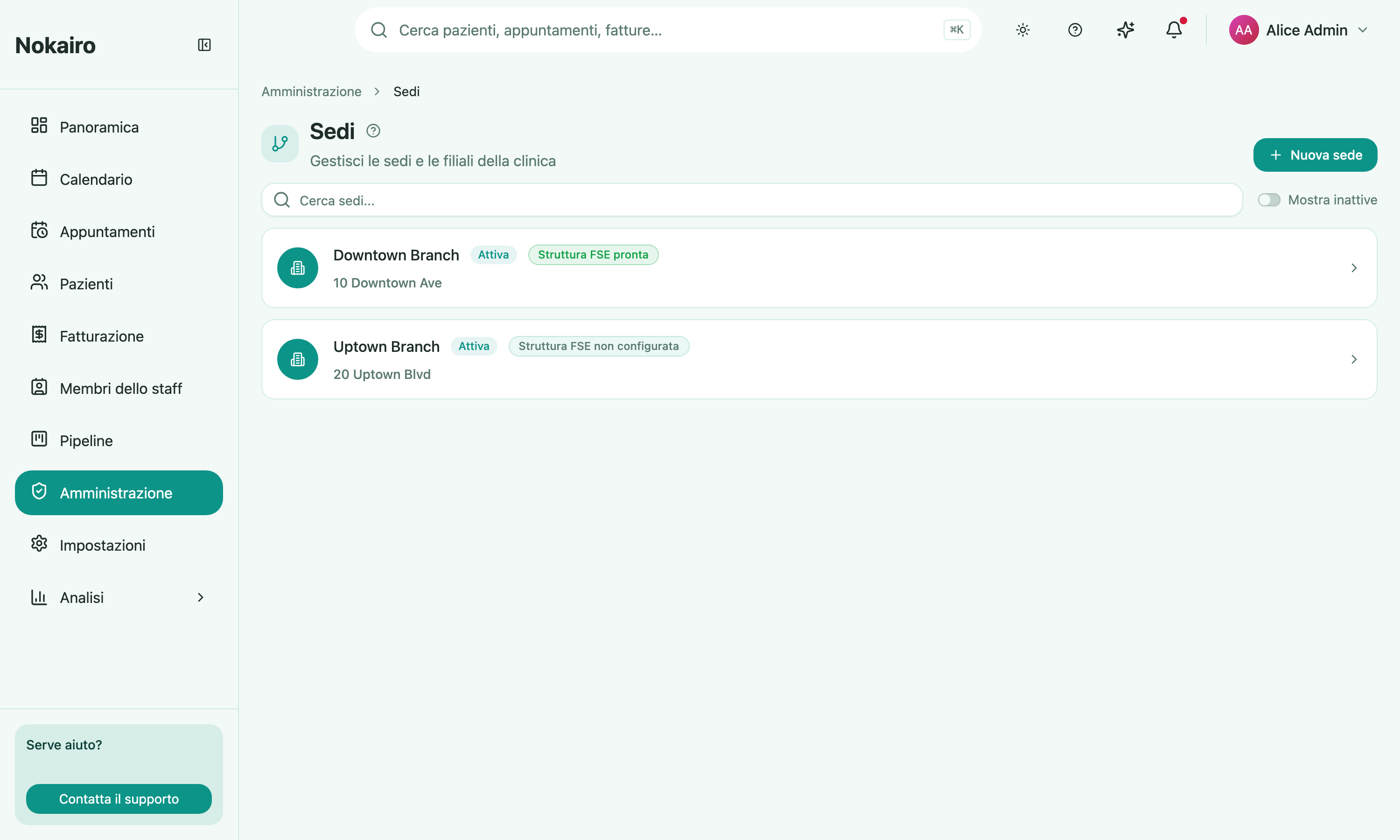
A branch is a physical location of the clinic. Almost everything in Nokairo hangs off branches: which calendar you see, which price list applies, which staff cover which site, and which fiscal identity issues an invoice. This screen lists the clinic’s branches; opening one shows its detail page.
Set up during registration
The clinic’s first branch is created automatically during registration, from the clinic’s own name and address; the wizard’s branch step confirms or renames it rather than creating one. Every branch after that is created from this page. See Getting started.
What you can do here
- Create a branch and record its name, address, phone number, and email. It starts with the default communication rules already applied.
- Search the list, and toggle inactive branches into view.
- Open a branch to see its summary and the staff assigned to it.
- Edit a branch, or deactivate one that is no longer in use.
- Assign staff to the branch, invite a new colleague straight into it, edit a member’s branch roles, or remove them from it.
- Set the branch’s operating hours — the weekly windows when the location is open.
The branch detail page
A menu down the left-hand side of the branch page moves between its sections: the assigned Staff (shown first), Operating hours, and — for staff whose access includes them — FSE structure identity and FSE documents. The branch’s name, status and FSE readiness badge sit above the section, with Edit branch and Deactivate branch on the right.
Operating hours
Each branch has a weekly opening pattern. For every weekday you can add one or more intervals — for example an 8:00–13:00 morning and a 14:00–20:00 afternoon — or leave a day closed. When someone books an appointment outside the branch’s open hours, the booker is warned before the appointment is saved; the warning can be overridden when a genuine out-of-hours booking is needed. Operating hours combine with each staff member’s own working hours: a time slot is only offered when the branch is open and the staff member works then. A booking buffer (0–60 minutes) lets the next appointment start that many minutes before the previous one ends, so back-to-back visits can overlap slightly; leave it at 0 to disable it. Operating hours are opened from the Operating hours entry in the branch page’s left-hand menu. Editing them needs permission to update the branch; everyone who can see the branch can read them.
Deactivating a branch
Deactivation is not reversible from this screen — the confirmation says so plainly. A deactivated branch stays in the list behind the “show inactive” toggle rather than disappearing.
Who sees what
Staff see the branches they are assigned to. A colleague assigned elsewhere sees a different list from the same clinic.