When a visit is moved, the patient needs to hear about it. This page holds the email a branch sends whenever an appointment’s date or time changes. You pick a branch first, then edit that branch’s message.
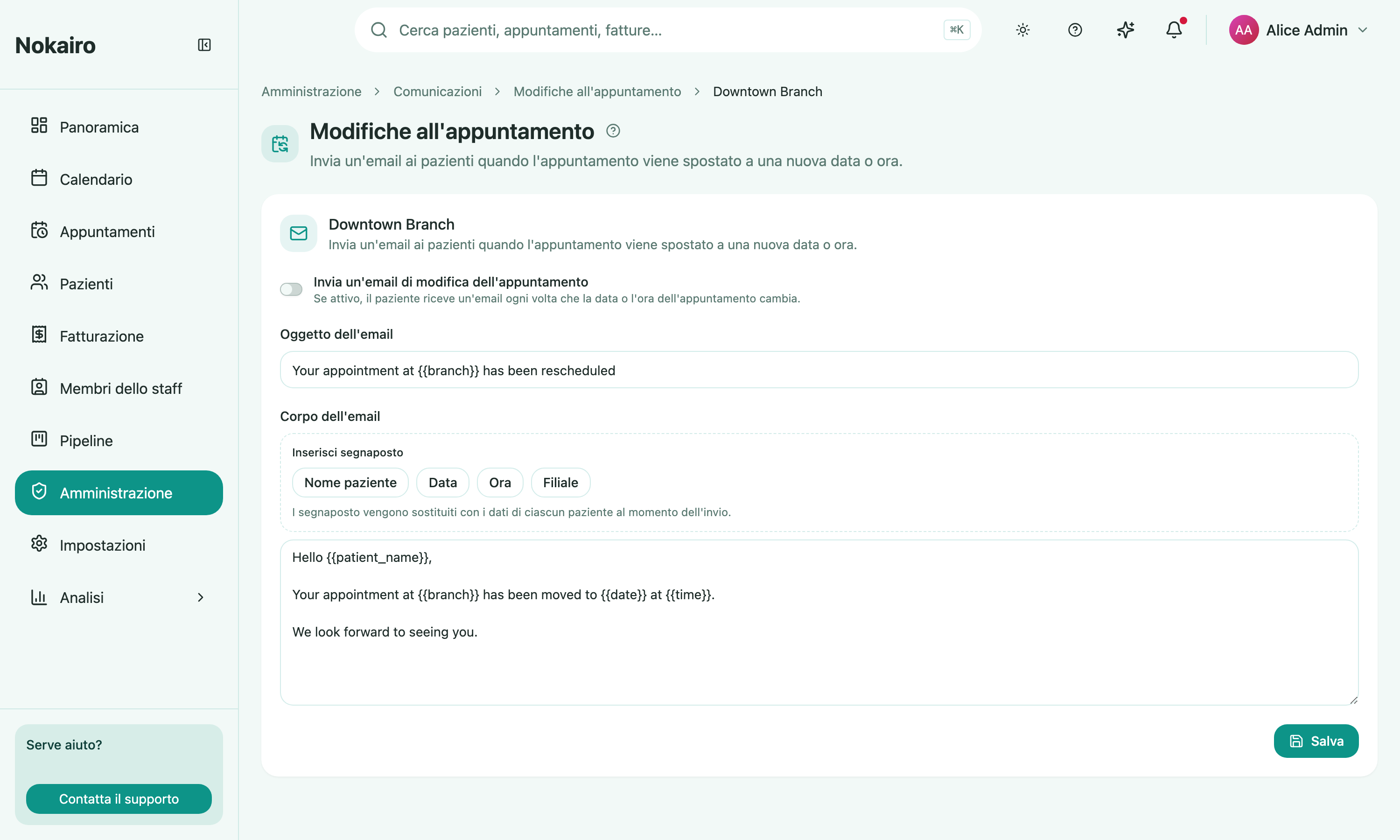
What you can do here
- Turn the appointment-change email on or off for the branch.
- Write the subject and the body the patient receives.
- Insert placeholders — patient name, date, time, and branch — which carry the appointment’s new details into the email.
When it fires
The email goes out on a real change of day or time, as soon as the change is saved: there is no delay to configure. Editing something else about the appointment does not trigger it. If a visit is moved more than once, each move sends its own email carrying the latest date and time, so the patient is never left with a stale one.
What it does not cover
This is only about a visit that moves. The email sent when the appointment is first created is set up under booking confirmation, and anything sent in the run-up to the visit under appointment reminders. The three are separate switches — turning this one on does not turn the others on.
Reminders for the moved appointment continue to be timed from its new slot, since they are calculated from the appointment as it stands.