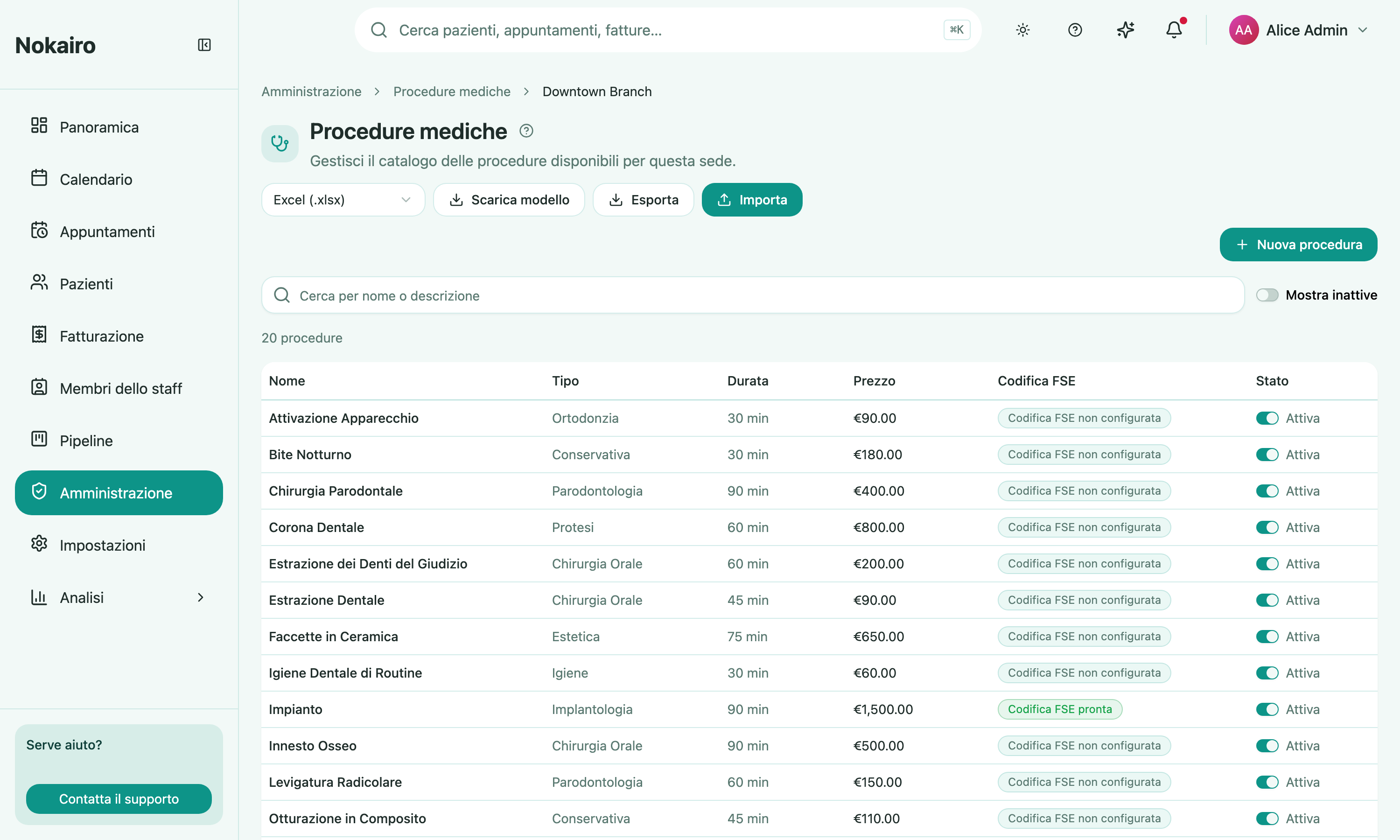
The medical procedure catalogue is the backbone of the clinic’s day: it decides what can be booked, how long a slot is, what it costs, and how an invoice line comes out. Procedures are configured per branch, so the page opens with a branch picker and then shows that branch’s catalogue.
Set up during registration
The registration wizard offers a starting price list of the treatments most dental clinics use, each with an indicative price and duration you can edit inline before it is created. Whatever you kept during setup is already here; whatever you skipped just means this page starts empty. See Getting started.
What you can do here
- Browse the branch’s procedures with search, pagination, and a toggle for inactive ones.
- Create or edit a procedure: name, description, category, duration in minutes, and price.
- Record costs and compensation: estimated lab cost, estimated material cost, and how the doctor is paid — a percentage, a fixed fee, or no payout. Procedures are described in Italian clinical terms (name, category, description) — there is no code field to fill in.
- Set the deduction rules that decide the doctor’s payout base: whether lab cost, material cost, and discounts reduce it.
- Set the fiscal defaults: a default tax rate, a default VAT nature code applied to VAT-exempt lines generated from this procedure, and a default Sistema TS healthcare expense type carried onto those lines — the codes on offer depend on the branch’s Sistema TS sender type. Healthcare procedures are VAT-exempt, so their default is the
N4exempt-healthcare code with a 0% rate; a taxable treatment (for example an aesthetic one) keeps its positive rate with no nature code — the two are never mixed automatically. - Mark that it requires an assistant.
- Assign staff who perform it, and link questionnaires to it.
- Import and export the catalogue as Excel or CSV, with a downloadable template.
- Deactivate a procedure, or reactivate it later.
Deactivating rather than deleting
A deactivated procedure is no longer available for new appointments, but it is not erased and can be reactivated. Existing work that already refers to it is untouched. Inactive staff stay assigned to a procedure but cannot be newly selected.
Import replaces carefully, not blindly
An import reports how many procedures it created and how many it updated. If some rows fail, it names the row numbers and the reason rather than silently dropping them, so you can correct the file and run it again. The import format uses Italian descriptive fields only — a file from an older export that still contains an ADA code column is rejected with a clear message asking you to download the current template, and the same happens to any row carrying an ADA-style code inside its name, category, or description.
Per branch, not per clinic
The catalogue belongs to a branch. A second branch has its own list, its own prices, and its own staff assignments — a staff member who does not belong to the branch cannot be assigned to its procedures. Each procedure also has its own FSE coding, shown as a column in the list.