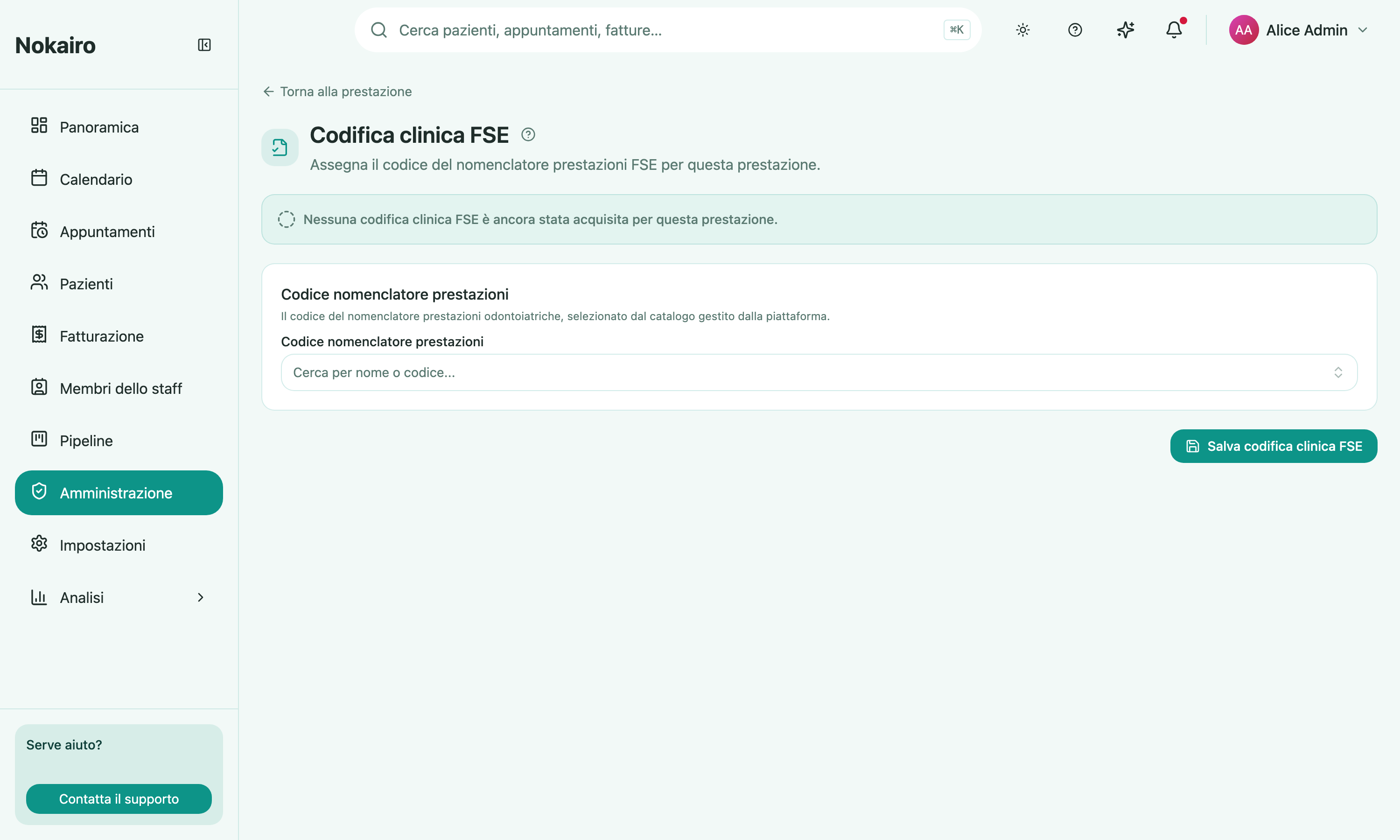
Your catalogue names procedures the way your clinic says them. The FSE needs them named the way the national nomenclatore says them. This page is the bridge for one procedure: it assigns that procedure its dental procedure-nomenclatore code. It is reached from the procedure’s detail page.
What you can do here
- Search the procedure-nomenclatore catalogue by name or code. The catalogue is maintained by the platform, not by the clinic.
- Select the code for this procedure and save it.
- See the completeness state — coded, incomplete, or not yet captured at all.
One code, per procedure, per branch
Coding belongs to a procedure inside a branch, the same way the procedure’s price does. The same treatment offered at two branches is two catalogue entries, and each carries its own coding. The Medical Procedures list shows an FSE coding column so you can see at a glance which entries are still uncoded.
What “not configured” means
A procedure with no coding captured yet is shown as not configured rather than as incomplete — it has not been brought into scope. Once you start, picking a nomenclatore code is what completes it.
Why it matters
Coding is one of the three pieces of setup an FSE document depends on, alongside the branch’s FSE structure identity and the author’s FSE identity. If documents for a particular kind of treatment are not progressing on FSE documents, this is a reasonable place to look.
Who can change it
Viewing and editing are separately gated. Staff who can view but not edit see a read-only note and no save button.